Built for the job site,
not a desk.
Every field tool is designed around single-screen capture — fewer taps, lower cognitive load, and a phone battery that lasts the whole inspection.
Quote a job before you hang up the phone.
Type the property address. AI fetches property data and populates property size and construction year, adding distance fees or surcharges from your pricing library. You pick the primary service and add ancillary services, and 1nspecT generates the quote. Hit send — the quote lands in your client's messages via SMS with a branded link. Start to finish, under 60 seconds. Client wants to book on the spot? Convert the quote to an order and start the contract and payment workflow right there, from your phone.
- Address autocomplete with real-time property lookup
- Base price and add-on services auto-populated
- Sent via SMS from your phone number
- Client receives branded link to web portal
- Convert to an order on the spot — contract and payment workflow start from mobile
Before you walk in, 1nspecT pulls the property's baseline.
The AI Property Baseline runs automatically when the order is created: measured site conditions at the property's coordinates (soil, flood zone, radon zone, termite pressure), typical materials for the build year and region to watch for, and auto-fetched foundation type, year built, and square footage — all overridable. It's a starting brief, not a prediction: site conditions are measured, materials are era-typical candidates to confirm on site.
- Measured site conditions — USDA soil and shrink-swell, FEMA flood zone, EPA radon zone, termite pressure
- Construction-era materials — candidates to look for, not observations
- Foundation type, year built, square footage auto-fetched — user can override any field
- Recommended supplemental services = real revenue opportunities
Every tap does more.
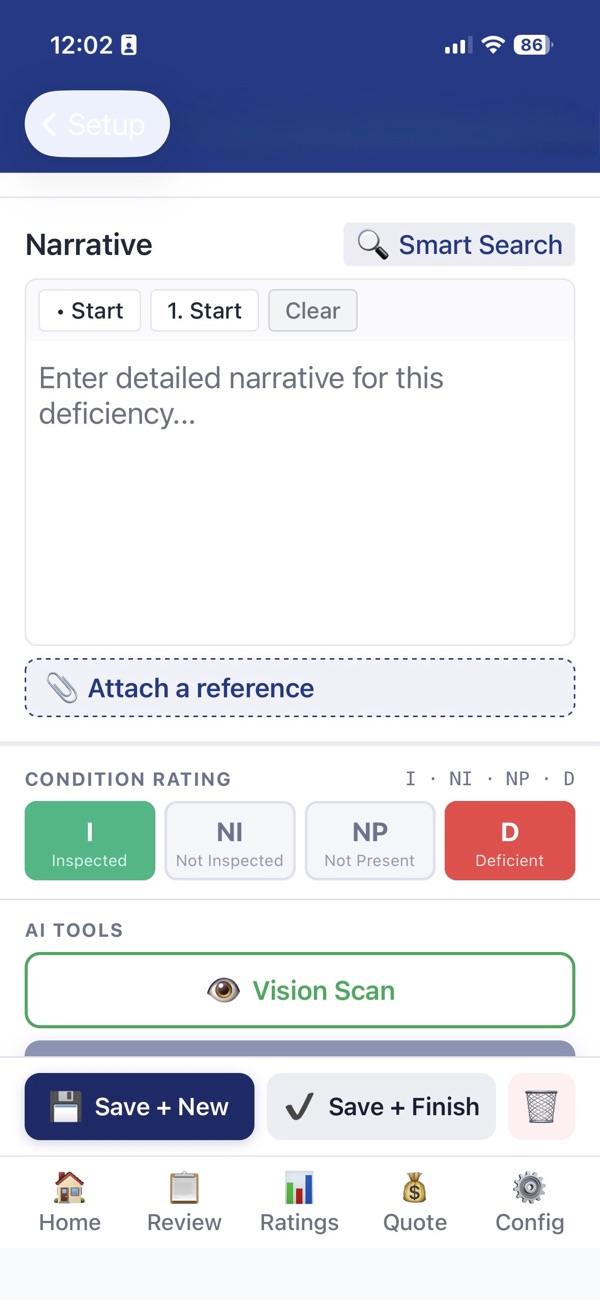
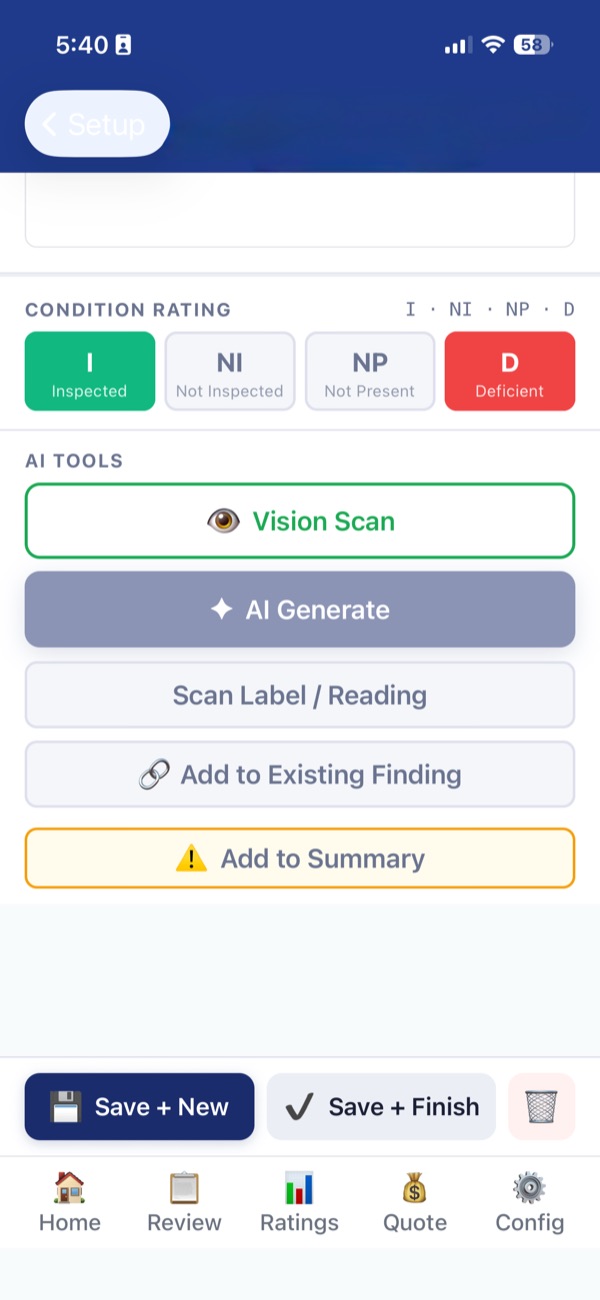
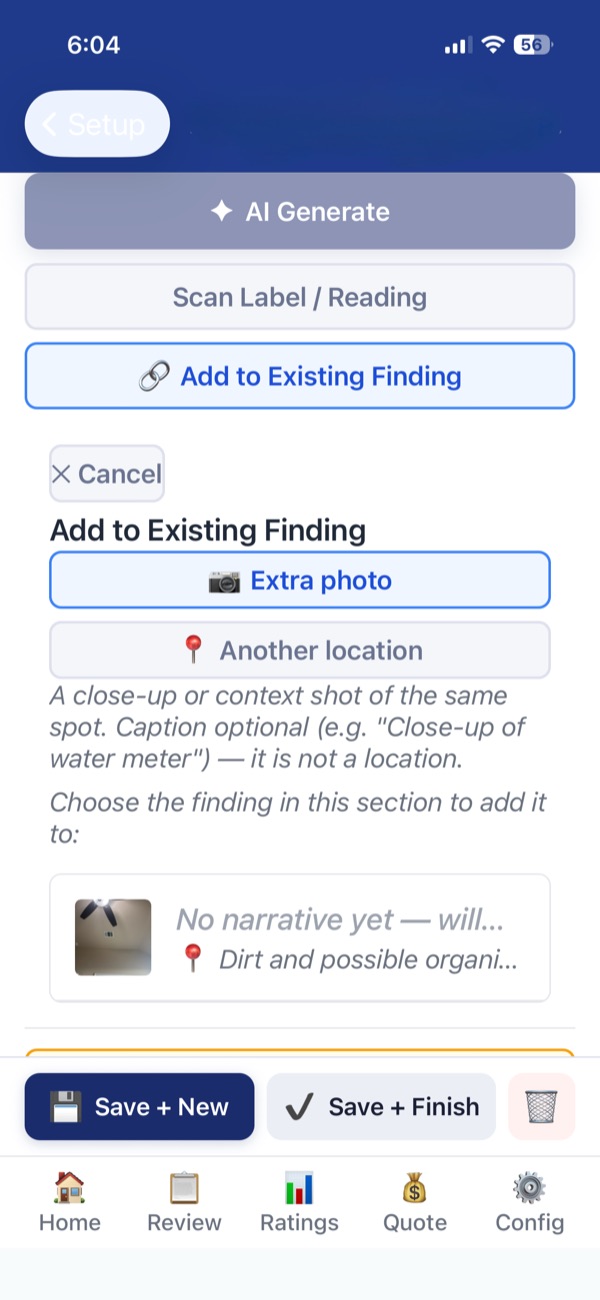
The field capture screen is built around one principle: get maximum data with minimum taps. Scan Label / Reading, powered by AIShadowCapture™, pulls data off the photo and into the report. Add to Existing Finding keeps every photo of a deficiency in one finding. Summary tagging drives the client walkthrough.
- Scan Label / Reading
- AIShadowCapture™ extracts data tags from photos, extracts readings from thermometer or psychrometer photos, and takes the text after the ":" in a caption and places it in the mapped field for that subsection
- Add to Existing Finding
- Tag another location of the same deficiency — or add an extra photo, like a close-up to go with the wide shot
- Summary
- Marks high-cost/safety items for the report summary and client walkthrough
- Progress tracker
- Always know how far through the inspection you are
Start typing. Land in the right section.
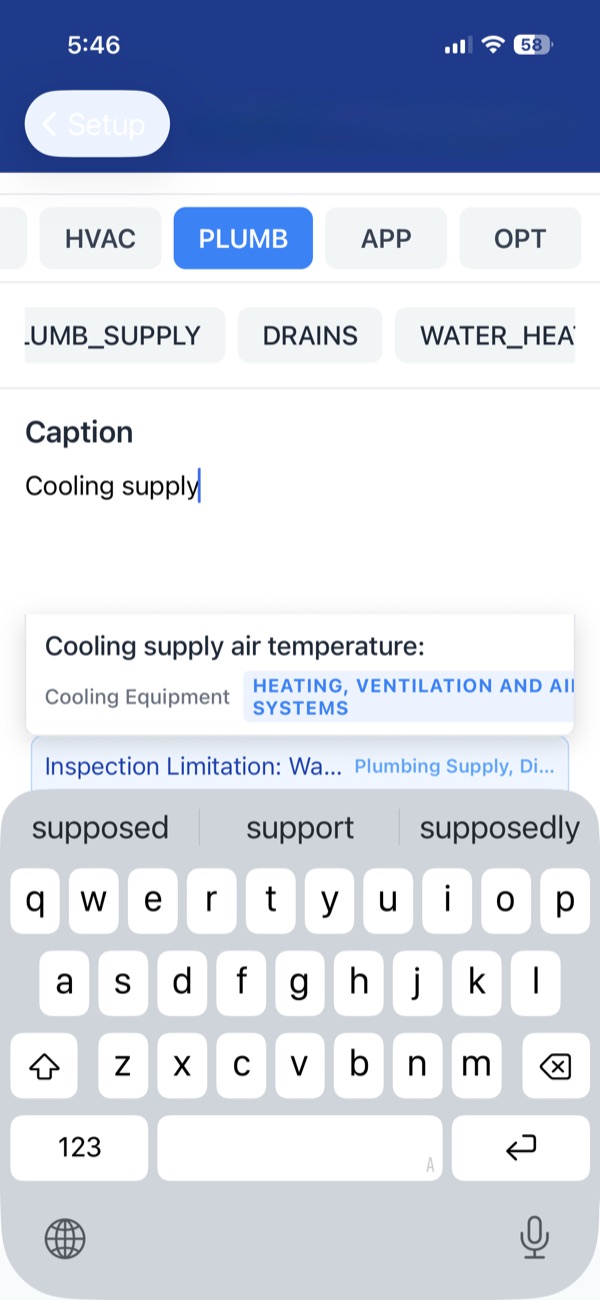
Start typing a caption and 1nspecT jumps to the right section — no tapping through menus to find where you are. Matching captions come back with their section and subsection; pick one and the app moves you there automatically.
The caption does the data entry, too. Photograph the thermometer in an HVAC return and caption it "Cooling return air temperature: 53ºF" — Scan Label / Reading (AIShadowCapture™) puts 53ºF in the cooling return field. With the measured temps in, 1nspecT calculates delta-T for cooling (or temperature rise for heating) and prompts you to create the matching narrative: acceptable performance if it's in range, a performance deficiency if it's out.
- Caption search navigates to the section and subsection for you
- Text after the ":" lands in the mapped report field
- Delta-T / temperature rise calculated from your readings
One finding. Every photo it needs.
Add to Existing Finding tags another location of the same deficiency — or adds a second photo to a finding you already have, like a close-up to go with the wide shot. Pick Extra photo or Another location, then choose the finding.
- Extra photo — a close-up or context shot of the same spot, caption optional. It isn't a new location.
- Another location — the same deficiency somewhere else, kept in one finding with one narrative
- No duplicate narratives, no extra steps
Show clients the source.
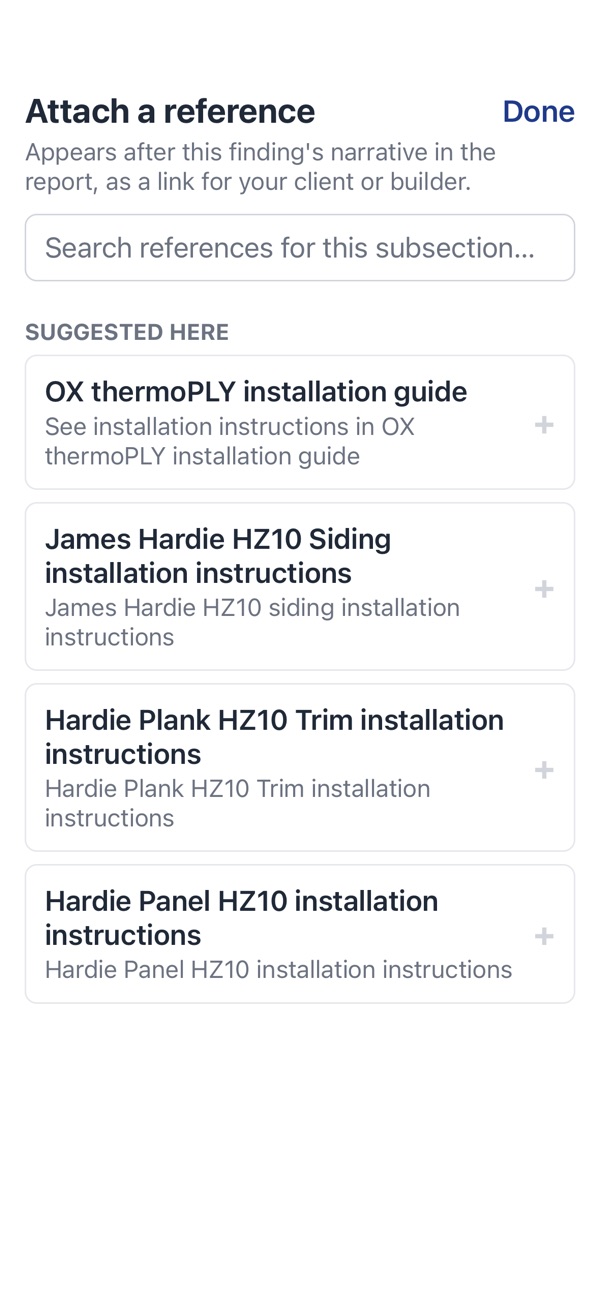
Build an approved library of manufacturer guides and code sections, and attach the right one to any finding in one tap — it prints in the report and the repair request.
Your admin adds each citation — installation guides, code sections, product bulletins — and assigns it to report sections. In the field, the app suggests only the references for the section you're in, and you attach one deliberately. It appears after the narrative in the PDF, the online client report, and the repair request, where a guide cited by several findings prints once. The URL also prints as plain text, so it works on paper.
- Admin-approved only — inspectors can't add their own links, so no unreviewed URL reaches a client
- Links go to the publisher's own document, so they stay current
- Kept separate from AI writing and never sent to the AI
- Secure https links only